Home Blog Page 7

MyMemo AI Reviews: 2025

0
MyMemo AI

What is MyMemo AI?

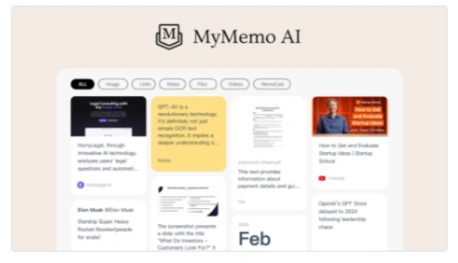
MyMemo is an AI-powered knowledge management platform designed to help individuals and teams organize, analyze, and interact with their digital content. It consolidates various forms of information—such as articles, PDFs, images, and videos—into a structured, searchable knowledge base.

Key Features

AI-Powered Search:

Utilize natural language queries to retrieve specific information from your knowledge base. 

MemoCast:

Convert uploaded content into bite-sized podcast episodes, allowing for on-the-go learning and reinforcement. 

Smart Collections:

Automatically organize content into tailored sets for specific tasks or projects, enhancing knowledge retrieval accuracy. 

Advanced Search Functionality:

Employ keyword search, tag-based search, and content filtering to locate relevant information quickly. 

Visual Intelligence:

Analyze images without accompanying text information, providing insights from visual content. 

Multilingual Capabilities:

Interact with the platform in multiple languages, making it versatile for a global user.

Pros

Efficient information retrieval:

MyMemo AI makes it easy to find information, significantly reducing the time spent searching for digital content.

Advanced knowledge management:

Through analysis and extraction powered by MyMemo AI, the tool transforms all the scattered information into an easily accessible knowledge base.

Personalized insights:

AI builds insights based on your personal knowledge, providing tailored suggestions and answers to all your questions.

Zero organization effort:

MyMemo AI provides instant answers and simplifies the process of managing digital knowledge, without the need for manual organization.

Cons

Learning curve:

It may take some time for all users to fully understand and use the features of AI.

Content limitations in the free version:

There are some restrictions on the number of AI chats and memos in the free tier, which may limit its usefulness for users.

mymemo-ai

Who is Using MyMemo AI?

Researchers and educators:

It manages extensive bibliographies and connects the dots between disparate information.

Content creators:

It organizes resources and ideas in one place to make the content creation process bigger and easier.

Project managers:

MyMemo AI enhances team workflow by centralizing project research and insights.

Students:

It makes the learning process more efficient for creating study materials and research.

Unique use cases:

Non-profit organizations use MyMemo AI for grant research and application drafting; it tracks learning materials and encourages personal development for analysis.

Pricing:

Free Tier:

Offers 50 AI chats and 100 memos for free per month.

Pro Tier:

For $7.99 per month (30% off until May), unlimited AI chat usage, up to 1000 memos, and unlimited memo collection.

Disclaimer:

Please check the official MyMemo AI website for accurate and current pricing details.

What Makes MyMemo AI Unique?

It not only acts as a digital repository for your content but also differentiates itself by understanding and analyzing it. This turns it from a simple storage solution into an intelligent assistant that can monitor and provide answers based on your knowledge base. Its learning feature, which provides AI-powered recaps, is particularly unique and engages users with their knowledge in new and meaningful ways.

Compatibilities and Integrations:

Chrome Extension:

It is used for easy access to digital knowledge across the internet.

Multi-language support:

Users interact with AI in their preferred language.

Centralized AI interaction within collections:

This makes knowledge retrieval much more tailored to the specific needs of the user.

MyMemo AI Tutorials:

To help new users get started, MyMemo AI offers a variety of tutorials, covering everything from basic setup to advanced features. These resources are designed to smooth the onboarding process.

How We Rated It:

  • Accuracy and Reliability: 4.5/5
  • Ease of Use: 4.2/5
  • Functionality and Features: 4.8/5
  • Performance and Speed: 4.6/5
  • Customization and Flexibility: 4.3/5
  • Data Privacy and Security: 4.7/5
  • Support and Resources: 4.0/5
  • Cost-Efficiency: 4.5/5
  • Integration Capabilities: 4.2/5
  • Overall Score: 4.4/5

Summary:

 MyMemo AI plays a vital role in transforming digital content into a well-organized, easily navigable knowledge repository that is irresistible. Powerful AI-powered features not only store but also understand and analyze your content, providing personalized insights and streamlined information retrieval. Whether you are a researcher, content creator, or anyone else, MyMemo AI will be a valuable tool for managing and leveraging your digital knowledge. Its unique approach to reflective learning and tailored AI interactions set it apart, making it an essential resource for anyone looking to optimize their digital lives.

mymemo-ai

2025 Step-by-Step Guide to Using Citadelawp Lifetime Deal Reviews

0
Citadelawp

                            Citadelawp Lifetime Deal

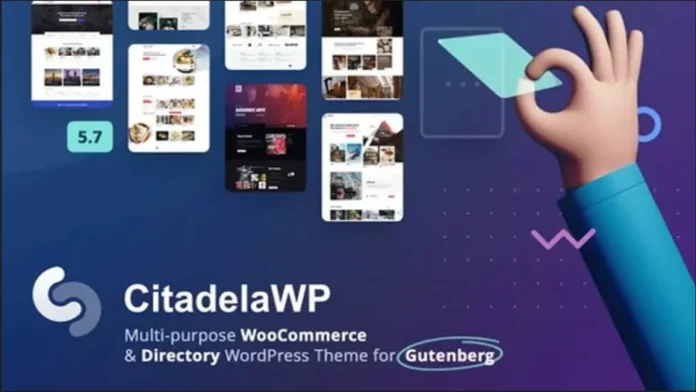
CitadelaWP Package Unlimited offers a universal WordPress theme that provides directory listing capabilities. It is a comprehensive lifetime deal that includes the theme, Pro and Listing plugins, and a variety of starter layouts, making the CitadelaWP package an ideal solution for building a variety of websites. This package provides everything you need to set up a business, personal, e-commerce, blog, or directory and portal website using the new WordPress editor and customizer.

CitadelaWP Features

CitadelaWP is a modular theme that offers 29 ready-to-use starter website layouts, built entirely with the WordPress block editor, allowing you to easily create a variety of websites.CitadelaWP also greatly expands WordPress blocks with new options.

Modular Design

The primary advantage of the CitadelaWP theme is its adaptable nature, which enables you to create personal websites, business presentations, travel blogs, or listing portals using a single theme. Its modular design means you can use it for numerous projects and quickly get started with ready-to-use layouts imported with one click. Everything is built with blocks that are very easy to edit.

Enhanced Block Editor

Everything is built using blocks compatible with the WordPress block editor (Gutenberg). You can edit any page, including archives. Additionally, the theme extends WordPress blocks with new functionality such as services, opening hours, maps, and advanced responsive text blocks. Citadelpy Admin also offers a wide variety of options for overall look, feel, and layout customization.

Directory and Map Integration

Easily add items and maps to your website, such as projects, team members and favorite travel destinations, or hospital departments. The system works seamlessly with the WordPress block editor. For travel layouts, it features the ability to embed GPX tracks on maps with POIs to create detailed visitor guides, making it easy to showcase restaurants, floral designs, and more.

Listing Functionality

This feature helps users create directories on their websites very easily, including subscriptions, paywalls, GPX features, blog posts on maps, WooCommerce integration, and payment options. This makes it much easier to set up an online business without having to purchase additional plugins, turning this theme into a comprehensive business directory.

CitadelaWP FAQ

How many websites can I create with this deal?

The lifetime contract includes an unlimited website license, allowing you to use the theme on as many websites as you need. This is effectively an agency multi-membership that offers significant savings.

How is support provided?

Technical support is provided through a dedicated support system. Although this lifetime agreement does not include lifetime support, its support is available for 12 months.

Is there a way to import listing data from CSV files?

Yes, you can import a lot of list data using a CSV file through a plugin like WP All Import. It can import the data into the WordPress database, allowing you to easily populate the data for directories.

Is CitadelaWP Compatible With Other Page Builders?

Although CitadelaWP is designed for Gutenberg, CitadelaWP is compatible with modern third-party plugins and it is possible to integrate Gutenberg with other plugins such as Elementor or Divi.

Conclusion

The CitadelaWP package is an infinitely powerful one. The CitadelaWP package is a versatile WordPress theme that is suitable for freelancers, agencies, and website owners and entrepreneurs. Its modular nature, advanced block editor, and directory features make it ideal for a wide variety of projects. However, the easiest way to use it is with the Gutenberg editor. However, some users have indicated that support and improvements could be improved with training and video tutorials.

It may not seem like the right solution for those looking for a more complex listing platform or advanced customization features. However, with a 4.2 rating and just a 60-day money-back guarantee, it’s a very solid option if you’re looking for a lifetime deal that lets you create an unlimited number of sites.


Sinosend Review – Effortless File Transfers & Tracking

0
Sinosend

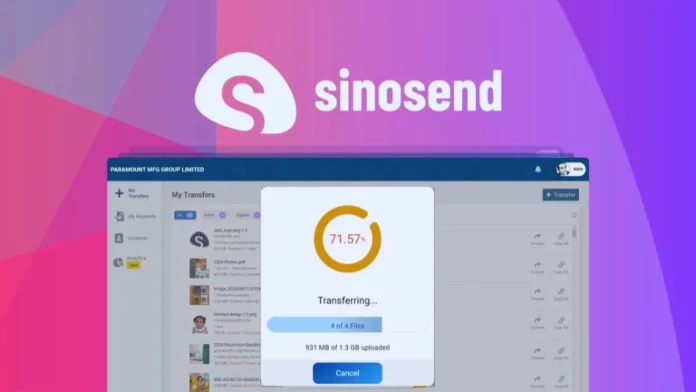
In today’s digital world, sharing large files and managing transactional emails can be a daunting task. But if you handle a large volume of emails or are a creative professional who shares large media files, you need a reliable, secure platform. Available on AppSumo, SinoSend has established itself as an all-in-one solution for both.

In this review, we’ll break down SinoSend’s key features, benefits, pricing, and potential drawbacks, helping you decide if it’s the right tool for your needs.

>> Get SinoSend Lifetime Deal for $49<<

What is Sinosend?

SinoSend is an innovative platform designed to facilitate large file transfers and efficiently manage transactional emails. It targets businesses and professionals who are looking for a secure and user-friendly solution for sharing large media files and communicating via automated emails such as order confirmations and notifications. With an emphasis on security and usability, SinoSend aims to simplify the way users send and receive important information.

Key Features Of Sinosend

SinoSend offers a suite of AI-powered functionalities that easily enhance your file transfer and email management experience. From securely sending large files to efficiently managing transactional emails, SinoSend provides a seamless solution built for businesses or individuals.

Here are the outstanding features that set SinoSend apart:

Large File Transfer

Sinosend allows users to send files of any size without the limitations imposed by email providers. This makes it ideal for easily sharing large media files, presentations, or extensive documents.

End-to-end encryption

Security is a top priority for Sinosend. All files are encrypted before they leave your device, ensuring that sensitive information remains protected throughout the transfer process.

Multiple Recipient Sharing

The platform enables users to send files to multiple recipients simultaneously, making collaboration and communication easier, particularly for teams and businesses.

Transactional Email Management

Synogend doesn’t just handle file transfers; it also offers powerful features for transactional email management. Whether it’s order confirmations, account notifications, or password resets, Sinogend seamlessly integrates with a variety of platforms, ensuring reliable email delivery.

Analytics and Tracking

Synogend provides valuable insights into email delivery rates and recipient interactions. This feature enables businesses to optimize their email campaigns using real-time data.

Benefits of Using Sinosend

Advanced Security

With end-to-end encryption, you can rest assured that your files and emails are protected from potential breaches. Sinosend is especially useful for businesses that handle sensitive information.

No file size limits

Unlike competitors like Google Drive or Dropbox, SinoSend lets you send files of any size, making it ideal for industries like media, architecture, and design.

Time efficiency

The ability to send files to multiple recipients at once is a significant time saver, especially for teams collaborating on large projects.

Affordable

SinoSend offers a lifetime contract with AppSumo, making it an affordable option for long-term use, especially for businesses that regularly transfer large files and handle transactional emails.

How Sinosend Stacks Up Against Competitors

When comparing Sinosend to other popular file-sharing and email management tools like WeTransfer, Dropbox, and Google Drive, it stands out primarily for its file size flexibility and security:

Dropbox and Google Drive have storage limits for free accounts and may require paid upgrades to transfer larger files. Their sharing interfaces for sending files to multiple recipients can also be less intuitive.

WeTransfer offers free file sharing but limits file size and storage duration. Sinosend also lacks end-to-end encryption unless you upgrade to a paid plan.

Sinosend AppSumo Lifetime Deal at $49

Sinosend offers a variety of pricing plans that suit a variety of needs and budgets, from individual entrepreneurs to large enterprises. Pricing is competitive, especially given the wide range of features offered.

For exceptional value, check out the Sinosend Lifetime Deal on AppSumo. The SinoSend AppSumo Lifetime Deal is currently available for $49, providing a comprehensive solution for businesses and professionals who need efficient file transfer and tracking capabilities. This tool is especially useful for product managers, small businesses, and organizations that work with large documents and need real-time insight into file interactions.

Sinosend

Conclusion

Sinosend is the ideal solution for businesses looking to improve their file transfer or document tracking processes. With its intuitive interface, robust security features, and real-time tracking capabilities, it is an essential tool for modern organizations. Whether sending files to clients, managing internal documentation, or collaborating with remote teams, Sinosend provides the functionality needed to increase efficiency, ensure security, and comply with industry regulations.

Try Sinosend today for effortless file transfer and seamless document tracking!

Insecure Web Review

0
Insecure Web Review

What is Insecure Web?

Insecure Web : Proactive Digital Surveillance to Enhance Brand Security.

Insecure Web is a cutting-edge digital surveillance tool designed to proactively monitor and secure online presence for brands. Using advanced technologies like machine learning and AI, Insecure Web ensures that your digital assets are protected and your brand reputation remains intact.
This tool addresses a variety of security needs and offers a variety of features, making it a versatile solution for a variety of businesses. It provides methods ranging from real-time monitoring to comprehensive reporting.

Get Insure Web Lifetime Deal!

Key Features of Insecure Web

Real-time Monitoring:

Insecure Web offers real-time monitoring capabilities. This feature helps businesses stay informed of any security threats. By continuously scanning for vulnerabilities and suspicious activity, the tool mitigates risks before they escalate.

Automated Alerts:

A notable feature of Insecure Web is its automated alert system. Get instant notifications for potential breaches or vulnerabilities. This ensures that you are always quickly aware of any impending threats, allowing for effective mitigation strategies.

Extensive Reports:

InSecure Web provides detailed reports on the state of your digital security. These reports provide valuable insights into your security landscape.

Advanced Analytics:

Use advanced analytics to gain deeper insights into your security landscape. This feature helps identify patterns, predict potential threats, and identify areas where your security is weak.

Benefits of Using Insecure Web

Insecure Web has numerous advantages that make it a great tool for digital surveillance. Its primary advantage is its proactive approach to security, which helps detect threats before they cause significant damage. This proactive stance is crucial in a fast-paced digital environment.

In addition, the tool’s user-friendly interface ensures that even people with limited technical knowledge can effectively monitor their digital security.

The intuitive design makes it easy to navigate through the various features, allowing users to quickly adapt to the tool and start benefiting from its capabilities.

Potential Drawbacks

While Insecure Web is a powerful tool, it’s important to consider its drawbacks. One limitation for those unfamiliar with digital surveillance tools can be the steep learning curve. The advanced features and extensive capabilities can initially overwhelm new users, requiring a period of adjustment.

Also, the cost can be a barrier for small businesses or startups with limited budgets.

While Insecure Web offers scalable pricing plans, the premium features and advanced functionality come at a high price point, which may be a deterrent for some.

Who Would Benefit from Insecure Web?

Insecure Web is suitable for a variety of businesses, including:

E-commerce businesses:

Keep customer information secure and ensure a safe shopping experience. With the rise of e-commerce, keeping customer information secure has become a top priority. InSecure Web helps in threat detection and mitigation, ensuring that customer information remains secure.

IT companies:

Enhance their service offerings through proactive digital surveillance. IT companies can leverage InSecure Web to provide comprehensive security solutions to their clients, ensuring that their digital assets remain protected.

Financial Institutions:

Keep sensitive financial information secure. Financial institutions handle highly sensitive information, making them prime targets for cyber-attacks. And help protect information.

Government Agencies:

Ensure the security of public information and services.Government agencies handle important public information and any breach can have serious consequences. The Insecure Web provides the tools needed to monitor and protect public information.

Conclusion

Insecure Web is a powerful tool for enhancing your brand’s digital security. With its advanced features, proactive monitoring, and comprehensive reporting, it provides a powerful solution for businesses looking to secure their online presence. Whether you’re a small business or a large enterprise, Insecure Web can provide the protection you need to thrive in the digital world.

To get started, consider implementing a trial version to fully understand the capabilities of Insecure Web.

Plans & features

Deal terms & conditions

  • Lifetime access to Insecure Web
  • You must redeem your code(s) within 60 days of purchase
  • All future Pay as you go Plan updates
  • Stack up to 3 codes

award-badge60 day money-back guarantee. Try it out for 2 months to make sure it’s right for you!
Insecure Web Review 2

To know more about AppSumo Lifetime Deal: Visit our official website:  A2Z Web Tools

Encharge.io Review: A Smart Automation Tool for SaaS Growth

0
Encharge

In a crowded world of marketing automation tools, Encharge.io sets itself apart by focusing specifically on B2B SaaS companies. While many platforms attempt to serve everyone and ultimately fail to serve anyone well, Encharge excels at meeting the needs of product-driven businesses seeking to automate their user engagement journey, from lead capture to retention.

Having tested a variety of automation tools over the years, I’ve found Encharge to be refreshingly intuitive, flexible, or purpose-driven. Here’s my take on what makes it a solid choice — and where it might not be for everyone.

What is Encharge.io?

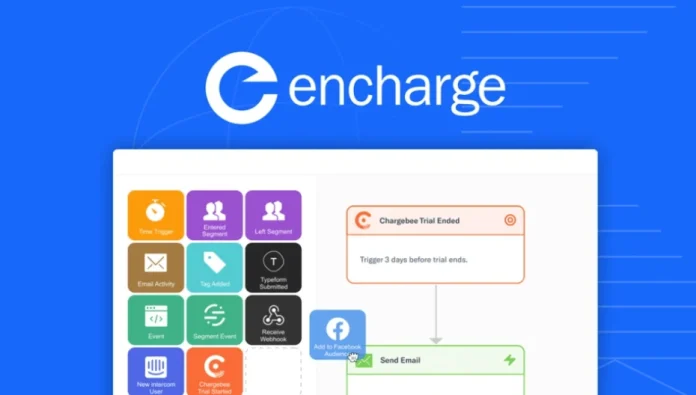
Encharge is a marketing automation platform designed for SaaS companies, helping them build behavior-based email workflows, manage leads, or increase conversions through targeted automation. It’s a cloud-based system that enables teams to visually design automation flows using a drag-and-drop interface similar to tools like Active Campaigns or ConvertKit—but with a greater emphasis on in-app behavior and user segmentation.

Introducing Encharge

Key Features Breakdown

1. Visual Flow Builder

One of Encharge’s biggest strengths is its visual automation builder. Encharge lets you create complex customer journeys with simple drag-and-drop logic blocks. Whether you’re generating leads, sending onboarding emails, or setting up churn-reduction campaigns, Flow Builder gives you a clear idea of ​​everything.

The learning curve is minimal, making it perfect for both marketers and non-technical founders. You can trigger emails based on user activity, time delays, conditions, and even tag changes.

2. Behavior-Based Email Marketing

Ncharge excels at tracking user behavior. Unlike standard tools for tracking opens and clicks, Ncharge goes much deeper. You can trigger actions when a user logs in, visits a specific page, or even uses a specific feature in your app.

This is especially helpful for SaaS onboarding or retention strategies. For example, if a new user hasn’t completed their setup within 24 hours, you can trigger an email with helpful tips or resources.

3. Powerful Segmentation

Segmentation is another great feature. You can group users based on almost any behavior or attribute – email activity, app usage, subscription plans, custom events, and more. These segmentations automatically update in real time, which is essential for running dynamic campaigns.

This flexibility means you can easily tailor your message to suit your needs. For example, users on your free plan might receive upsell emails, while power users get loyalty rewards or advanced tutorials.

4. User Profile and Identity Solutions

creates rich user profiles that evolve as people interact with your site or app. Even before someone signs up, Ncharge can track anonymous behavior. Once they create an account, all of their historical activity is linked to their profile.

This feature helps you get a complete picture of each user’s journey and personalize your messaging accordingly.

5. Native Forms and Integrations
Encharge offers native forms for capturing leads and syncing them directly into your flow. Plus, it integrates seamlessly with the following tools:

  • Stripe
  • HubSpot
  • Calendly
  • Facebook Ads
  • Google Sheets
  • Zapier (which opens up thousands of other connections)
    These integrations make it easy to plug Encharge into your existing stack without the need for a developer.

Use Cases for SaaS Companies

Encharge is not just a simple email tool. It is specifically designed with SaaS companies in mind. Here are some common use cases:

  • User onboarding: Guide new signups through the setup process with targeted emails based on what they have done or not done.
  • Paid conversion trials: Use behavioral triggers to send reminders or display value propositions before a free trial ends.
  • Churn prevention: Identify inactive users and re-engage them before they cancel or become inactive.
  • Product education: Automatically send feature highlights and how-tos based on user engagement levels.

Advantages

  • SaaS-centric features: Everything is built for product-led businesses, making workflows more relevant and effective.
  • User-friendly interface: The visual flow builder is the cleanest and easiest to use.
  • Deep user tracking: Tracks both anonymous and logged-in user activity.
  • Advanced segmentation: Real-time, dynamic segmentation options.
  • Affordable pricing: Offers flexible plans that scale with your growth, without any unnecessary fluff.

Cons

Limited templates:

Compared to some older platforms, Encharge has fewer pre-built email templates.

Still growing:

As a relatively new player, it doesn’t yet have the tutorials or huge community ecosystem of Mailchimp or HubSpot.

Not ideal for e-commerce:

While it’s great for SaaS, it’s not optimized for online stores or content-heavy blogs.

Pricing Overview

Encharge offers a free trial, and its paid plans are based on the number of subscribers you have. Currently, pricing starts at $109 per month for up to 2,000 contacts, which is competitive for the features you get.

They also offer a free migration service for users coming from tools like ActiveCampaign, ConvertKit, and Drip.

Or you can opt for an AppSumo Lifetime Deal!

Introducing Encharge

Who should use Encharge?

Ideal for:

  • SaaS founders and marketers
  • Product managers
  • Growth teams at startups
  • B2B platforms with user activation funnels

Not recommended for:

  • E-commerce businesses
  • Bloggers or content creators who focus more on content delivery
  • Companies that require client-specific branding for multiple accounts

Final Verdict: Is Encharge Worth It?

Absolutely—if you’re a SaaS company, Encharge is one of the smartest marketing automation tools you can invest in without any fear. It combines powerful behavioral automation with ease of use, and it avoids the bloated, overly complex setups that many legacy tools suffer from.

It’s built for the kind of workflows that fast, focused, and modern SaaS teams need to activate, engage, and grow users.

If you’re tired of generic platforms that don’t speak your language as a SaaS founder, give Encharge a try.

Introducing Encharge

All deals at AppSumo!


Gato GraphQL Insights: Reviews and Trends for 2025

0
Gato GraphQL

Gato GraphQL is a powerful WordPress plugin that transforms your site into a flexible GraphQL server, enabling precise data retrieval, enhanced security, and seamless automation—all without extensive coding. Ideal for developers, agencies, and content creators, it facilitates the creation of dynamic APIs to manage and update WordPress data efficiently.

Gato GraphQL Lifetime Deal provides users lifetime access to advanced integration tools for WordPress, ensuring efficient site management or updates.

Gato GraphQL is a powerful tool designed for WordPress users who want to improve their site management capabilities. With its unique features, Gato GraphQL allows users to integrate APIs or manage content seamlessly and effectively.

Lifetime deals give users a unique opportunity to access all future updates or features without worrying about recurring costs.

Key Features

Dynamic Headless Sites: Utilize WordPress as your CMS, combining it with any JavaScript framework to create dynamic websites.

Granular Access Control: Manage API access based on user roles, capabilities, or IP addresses for maximum security.

Task Automation: Automate site tasks by triggering GraphQL queries with WordPress action hooks.

Versatile Integrations: Seamlessly integrate with WooCommerce, Webhooks, and various JavaScript frameworks to improve your site’s performance.

Lifetime Deal Offer

Gato GraphQL is currently available through a limited-time Lifetime DA:

Price $59 (one-time payment)

Lifetime access to plugins, support, and product updates included forever.

gato-graphql

Power Extension Bundle

For users looking for advanced features, Gato GraphQL offers a Power Extension Bundle:

  • Price: $249 (one-time payment)
  • This includes: Access to all Power Extensions, lifetime support and updates, and support for up to 5 domains.

These extensions extend the plugin’s capabilities, offering features like HTTP caching, persistent queries, and custom endpoints.

Why choose Gato GraphQL?

Efficiency:  Streamlines data management and API creation within WordPress.

Security: Provides robust access control mechanisms to protect your data.

Automation: Facilitates task automation, saving time and reducing manual effort.

Scalability: Supports integration with a variety of platforms and frameworks, accommodating growth.

This lifetime deal offers significant savings over traditional subscription models, making it an excellent investment for those looking to improve their WordPress development workflow.

Scalability:  Supports integration with a variety of platforms and frameworks, accommodating growth.

This lifetime deal offers significant savings over traditional subscription models, making it an excellent investment for those looking to improve their WordPress development workflow.

Description

Gato GraphQL is a powerful or flexible GraphQL server for WordPress.

Use it to expose WordPress data via GraphQL. Access any data (posts, users, comments, tags, categories, etc.) from your application, or transform or modify the data.

The standard use cases are:

  • Code performant apps: Send a GraphQL query to your API or get or what you need, no less.
  • Build dynamic/headless sites: Use WordPress as a CMS to manage data or your preferred framework to render the site.
  • Speed ​​up Gutenberg block creation: Create REST controllers to send Gutenberg blocks faster by avoiding data feeding.

Avec Gato GraphQL, vous avez la possibilité de migrer votre application de WordPress vers d’autres frameworks ou CMS basés sur PHP (si jamais nécessaire) avec un minimum d’effort : GraphQL Server run on its PHP component (which does not depend on WordPress), or only the resolvers that fetch WordPress data (posts, users, comments, etc.) will need to be ported to the ones used by your application. Gato GraphQL vous permet d’utiliser WordPress sans Headless WordPress, évitant ainsi le verrouillage du fournisseur WordPress.

Power Extensions

Power extensions will allow you to increase server performance.

gato-graphql

Step-by-Step Guide to Wonder Studio Reviews

0
What is Wonder Studio

Wonder Studio is an AI-powered platform that revolutionizes the world of visual effects (VFX) by automating the animation, lighting, and composition of CG characters into live-action scenes. For filmmakers, VFX artists, and content creators alike, the tool simplifies the complex and time-consuming process of integrating CG elements into real-world footage. By eliminating the need for motion capture (MOCap), complex 3D software, and expensive production hardware, Wonder Studio positions itself as a VFX studio that is accessible directly from your browser.

Key Features:

Automatic Animation and Lighting: It automatically animates and lights CG characters based on single-camera footage, transferring the actor’s performance directly to the CG model.

Advanced Re-Targeting: This system intelligently captures footage of live actors and adapts the performance to the CG character, ensuring realistic motion.

Seamless Compositing: It handles complex aspects such as lighting and shadows to match the real environment and can integrate CG characters into live-action scenes with precision.

Adapts to existing pipelines: It exports elements such as motion capture data and final renders, which are used in conjunction with standard VFX software, fitting seamlessly into the artist’s current workflow.

Advantages

Time efficiency: This makes CG characters very animated in live-action scenes, which dramatically reduces the time required for lighting and composition.

Cost-effective: It reduces production costs by automating what is traditionally a costly hardware and software requirement.

Ease of use: This makes the VFX process much easier, even for those with little experience in 3D animation or VFX.

Flexibility: It supports uploading custom 3D models and uses free characters from the artist community, giving everyone creative freedom.

Disadvantages

Internet Dependency: Being a browser-based platform, it requires a stable and fast, good-quality internet connection for good performance.

Learning Curve: While it simplifies the VFX process, it can still act as a learning curve for those new to VFX or 3D animation.

CG Character Limitations: Focus on integrating CG characters, which fails to meet all the potential VFX needs of a project.

Who is using Wonder Studio?

Independent filmmakers: Here it is possible to create content visually without the full budget of a VFX studio.

VFX artists: Artists automate animation and lighting processes to enhance their workflow.

Content creators: Creating high-quality content for platforms like YouTube and Twitch with integrated CG asset flows.

Educational institutions: It is an accessible, hands-on tool that provides students with a solid understanding of VFX and CG animation.

Unusual use cases:  Novelists and scriptwriters use it to imagine scenes and characters in their stories; hobbyists adopt it to create fan-made content with professional-grade VFX.

Pricing:

Free Tiers: Wonder Studios always offers access to its platforms without a credit card, so anyone can start experimenting with its capabilities.

Subscription Plans: While no specific pricing details are provided here, users are encouraged to sign up for more information about the available plans.

Disclaimer: Please note that pricing information may not always be up to date.

What makes Wonder Studio unique?

Here, Wonder Studio democratizes the VFX process and makes it accessible to a wider audience. Its technology, which automatically detects an actor’s performance and seamlessly applies it to a CG character without the need for motion capture or frame-by-frame animation, is truly groundbreaking. These capabilities allow creators of all levels to create content that was previously only possible with significant investments in VFX resources.

Compatibility and Integration:

Export Options: It is compatible with almost all major VFX software by exporting motion capture data, camera tracks, and Blender files.

Community Contributions: It supports the use of free characters and models provided by the artist community, creating a collaborative environment.

Adaptability: It is designed to be used as a complement to existing VFX pipelines and enhance rather than replace traditional tools.


Wonder Studio Tutorials:

The Wonder Studio website offers a variety of tutorials and product demos, guiding users from basic setup to advanced features. These resources are invaluable for both new and experienced users who want to get the most out of the tool.

How we rated it:

Accuracy and Reliability: 4.5/5
Ease of Use: 4.2/5
Functionality and Features: 4.8/5
Performance and Speed: 4.3/5
Customization and Flexibility: 4.7/5
Data Privacy and Security: 4.5/5
Support and Resources: 4.0/5
Cost-Effectiveness: 4.6/5
Integration Capabilities: 4.4/5

Summary:

Wonder Studio is an innovative, accessible platform that transforms the VFX landscape by seamlessly integrating CG characters into beautiful live-action footage. Its unique blend of automated animation, lighting, and composition tools, combined with its adaptability to existing workflows, makes it an indispensable tool for a wide range of creators. From independent filmmakers to VFX artists and beyond, Wonder Studio empowers users to bring their creative visions to life with unprecedented ease and efficiency. Overall Score: 4.4/5


GetTerms Reviews & Ratings 2025

0
GetTerms

GetTerms Having the right legal policy for your site can make you feel like you’re watching Mike from Suits speak at 2x speed. (“Are you telling me this guy never went to law school?”)
If you’re looking for information about the GetTerms Lifetime Agreement and GetTerms reviews, you’ve come to the right place. The GetTerms Lifetime Agreement is available at a significant discount on AppSumo, but in this post, we’ll share all the details about the agreement. We’ll cover what’s included in the GetTerms Lifetime Agreement, its key features, and whether we think it’s worth taking advantage of. By the end of this post, you’ll have everything you need to know about the GetTerms Lifetime Agreement so you can make an informed decision about whether it’s right for you.
Failure to follow internet compliance guidelines can ruin your business, but you don’t have the budget to collect billable hours from an expensive law firm.

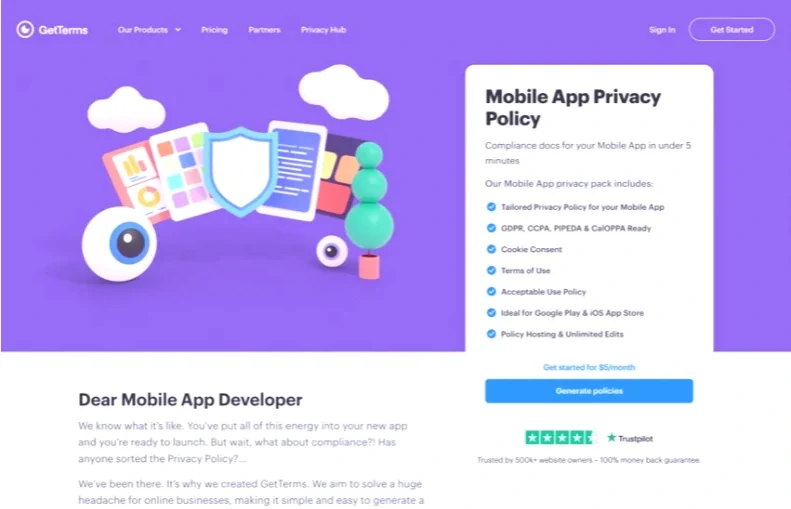
Luckily, there’s an easy way to create custom privacy policies, terms of service, and cookie policies for your website and app.

Introducing GetTerms.

GetTerms

GetTerms

GetTerms Lifetime Deal Overview

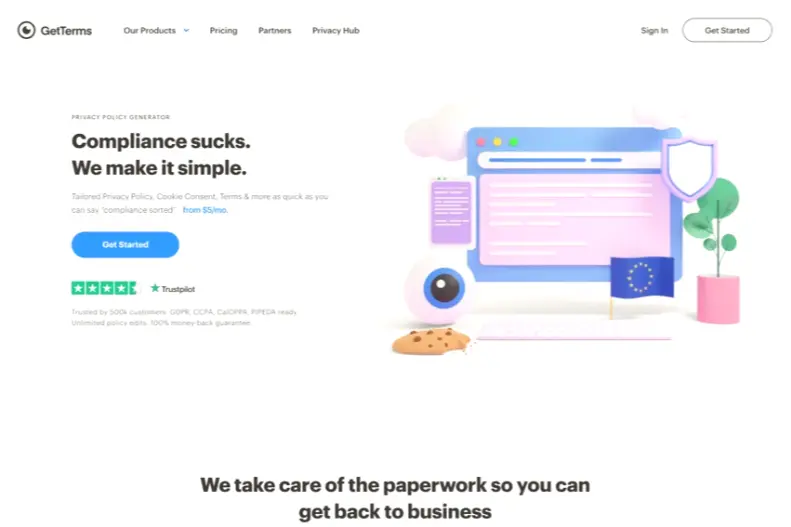
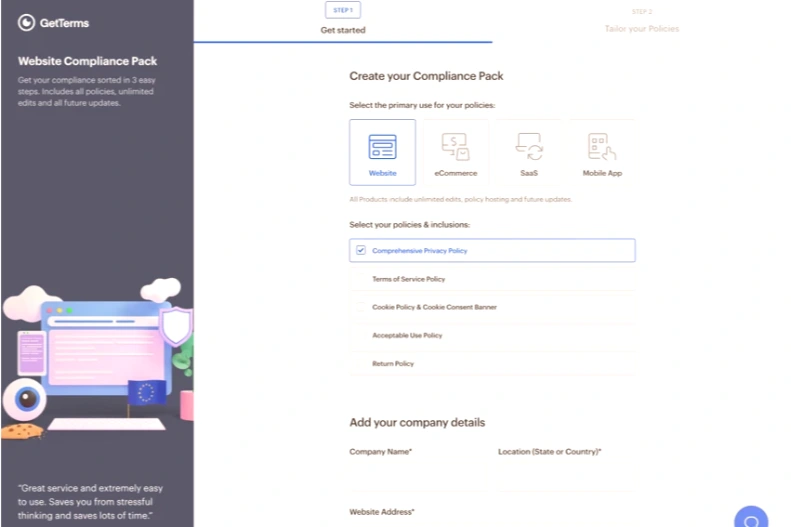
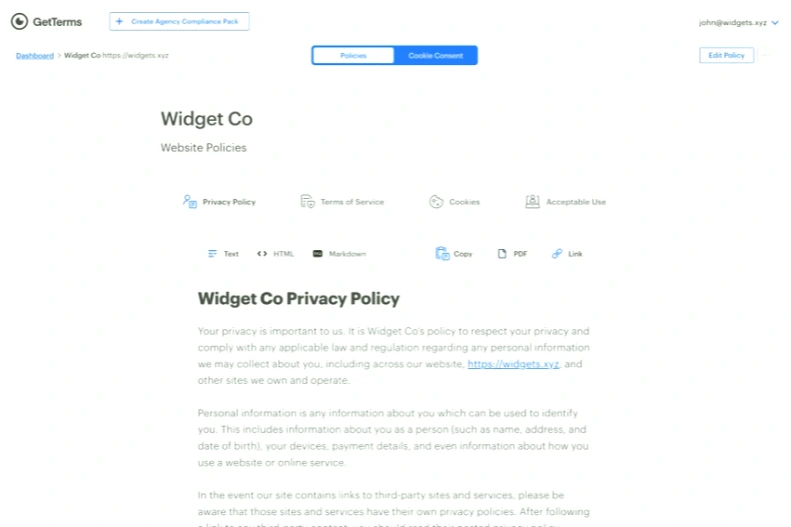
GetTerms2 is a privacy, terms and conditions, and cookie policy generator that lets you create custom, simple policies to keep your websites and apps fully compliant.

You don’t have to go through any hurdles to get the right privacy policy, terms and conditions, and cookie policy for your website.

That’s why GetTerms’ policies are written by lawyers for people, so you know your site is compliant with the latest and greatest legal requirements.

Using a streamlined ordering system, you can create your site’s privacy policy in less than two minutes.

GetTerms Lifetime Deal Overview

Create a custom privacy, terms, and cookie policy for your site in less than two minutes!

GetTerms provides access to a wide range of policy packs that include standard terms of service, as well as optional cookie policies and an acceptable use policy.

With numerous packages or policies available, you can create GetTerms policies to suit your business needs.

All policies are written for humans and reviewed by lawyers, making it easy to create a custom privacy, terms, or cookie policy written in plain English.

With GetTerms, you can be sure that while all policies are easy to read and understand, they also meet the high legal standards that would cost you a lot with a traditional law firm.

GetTerms Lifetime Deal Overview

Make sure your website is compliant with the broadest coverage appropriate for your business.

All policies are designed to help you meet GDPR, CCPA, or APA obligations, depending on where you and your customer base are located.

Whether you’re building sites for your own business or developing them for clients, you can save time and money by using a “one size fits most” approach.

You’ll be able to put together privacy policies in less time than it took Ellie Woods to explain the science of hair perms and win her first lawsuit. (“What, is that hard?”)

GetTerms Lifetime Deal Overview

Get the right compliance coverage you need for CCPA, GDPR, or APA obligations!

You don’t want to scare off potential customers with legal jargon just because your site and app need to be compliant.

GetTerms believes in simplicity, so its product is written in plain language like lawyers.

This means it’s easier than ever to stay up to date on your website compliance without the headaches.

GetTerms Lifetime Deal Overview

Create comprehensive app and website policies that your customers will understand.

No matter how much you love studying legal guidelines and privacy policies (your favorite activity after filing taxes and waiting in line at the dentist’s office), you have a website to run.

That’s why GetTerms helps you create simple terms and conditions or privacy policy documents that you can adapt to your unique business needs.

Don’t be stuck on non-compliant sites or pay expensive legal fees to get the essential policies your business needs.

Get lifetime access to GetTerms today!

Get lifetime access to GetTerms today!

Deal terms and conditions:

  • Lifetime access to GetTerms – Plus Exclusive.
  • Updates to all future Compliance Pro plans.
  • If the plan name changes, the agreement will be mapped to the new plan name with all updates.
  • No codes, no stacking—just choose the plan that works for you.
  • You must activate your license within 50 days of purchase.
  • Ability to upgrade between 5 license levels while the agreement is available.
  • Ability to downgrade between 5 license levels within 60 days of purchase.
  • GTERMS Agreed.
  • Previous AppSumo Plus customers who have agreed to the GetTerms can increase their feature limits by upgrading their licenses.
  • Previous AppSumo Plus customers will be included in any new features and feature limits.

Join AppSumo Plus: With an AppSumo Prime membership, you can save more money or grow your business faster at the most affordable price.

GetTerms Lifetime Deal [$79] — Create custom website and app policies

Note: If you want to buy a product from AppSumo, the Lifetime Deal offer will usually run out of stock within a week. Get the GetTerms Lifetime Deal on AppSumo. Grab it now if you need it.

See all Lifetime Deal offers.

AppMySite Review

0
AppMySite Review1

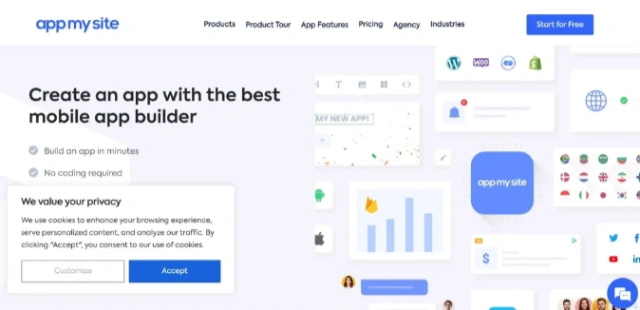
Having a business website is essential in 2025.. You also need a supporting app to ensure that customers get the most out of their interactions with your business. This is where AppMySite comes in and this tool has the power to convert websites into a functional app.

We have thoroughly tested AppMySite and it works exactly as it is marketed.

The process of converting a site into an app using AppMySite is surprisingly easy and does not require any coding or app development knowledge. You can turn your website into a full-fledged app in no time.

This article will explain how you can use AppMySite and how the website we created using this tool looks and works. If you want to convert your website into a fully functional app, then this article is not to be missed.

What is AppMySite?

AppMySite works with modern for both Android and iOS platforms. As mentioned earlier, you can use this tool to create an app without any coding knowledge.

In short, you can connect your website to this tool and it will analyze it and convert it into a native app. You can customize various aspects of the app with layouts and themes that suit your brand.

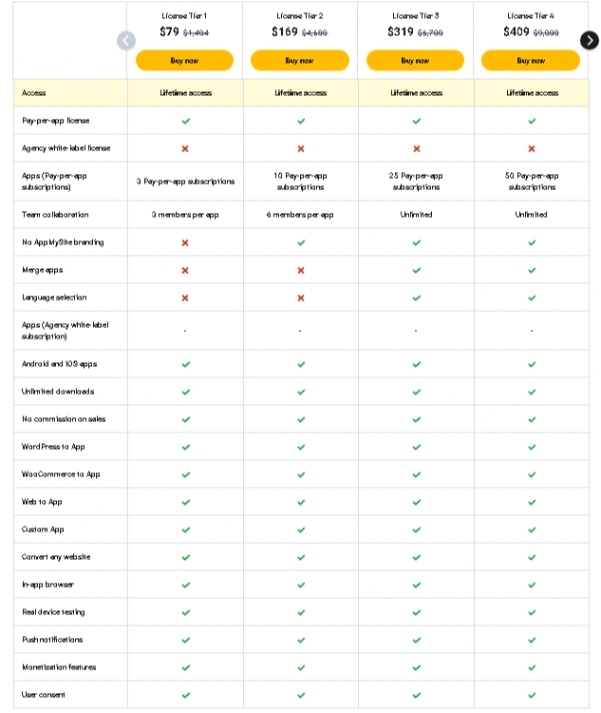
But the best thing about creating your app using AppMySite is that it allows you to create a complete app management system for just $79 per month. You can track the performance of your app, add new features, and update settings through the AppMySite dashboard.

AppMySite Review 2

If you think that’s enough, you’ll be surprised to know that this tool also has customization options for app design, logo, and overall app features.

Every app created using AppMySite is based on your website, so it’s fully synchronized with the website. It will be fully synchronized with your website.

Being able to do all this without knowing a single line of code makes AppMySite an essential tool for every business.

Features of AppMySite

We have briefly discussed the features of AppMySite in the previous sections but now it is time to take an in-depth look at all the key features that this tool offers. Here are all the features of AppMySite that make this tool worth the money:

App Icon & Splash Screen

AppMySite Review 3

AppMySite splash screens are called that because they are the first thing users see when the app is launched. They allow you to create an attractive splash screen and app icon that grabs the user’s attention.

Customizable Home Screen

AppMySite Review 4

Your app’s home screen contains most of the information options users need to interact with your app. No two app’s home screens will be the same because its layout, color scheme, and even background should be consistent with your brand. AppMySite offers home screen customization options that give users a sense of connection to your brand.

Product & Blog Display

AppMySite Review 5

The main purpose of an app is to act as a tool or if it is an e-commerce or informational app, it will showcase products or blogs. To improve accessibility in apps, AppMySite has specific sections to showcase your products.

Unified Menu

The menu you see through your app directly reflects the menu on your website.. This feature ensures that both your app and website maintain a consistent design and style.

Customer Support Options

The overall design and interface of AppMySite is already quite simple and easy to navigate. However, if you still face any issues while using the tool, you can contact the support team via email or phone.

Social Media Integration

S. Maintained Early, Offers Direct Social Video Integration in Appmoysi. This can serve as a great tool for marketing the user’s brand

Blog-Focused App

If you have a blogging site, you can create a blogging-focused app using AppMySite. All your blogs will be updated and made available to users through your mobile app so they can read on the go.

WebView Feature

With AppMySite, you can integrate the plugins and themes used on your website into your app. This feature is another way to maintain a consistent user experience across both platforms.

WordPress Compatibility

Since WordPress is one of the most popular CMSs, AppMySite allows you to use the same taxonomy for posts used on your website in your app.

Deep WooCommerce Integration

WooCommerce is an essential platform for e-commerce websites, and online retailers will be happy to know that AppMySite offers WooCommerce integration in your app.

Detailed Product Pages

AppMySite takes detailed product descriptions, images, prices, features, and reviews from your website and displays them as detailed product pages in your app. So you can be sure that your app customers can make the same informed decisions when purchasing.

Smart Cart and Checkout

AppMySite Review 6

With the smart cart and checkout feature built into your mobile app, customers get a great shopping experience with a smooth checkout.

Coupons and Rewards

AppMySite supports coupon and reward redemption from within the app so that your customers keep coming back for discounts and offers.

Global Payment Gateway Support

You can bring all the payment gateways used on your website to your app. AppMySite does all the major things to enable transactions for your business.

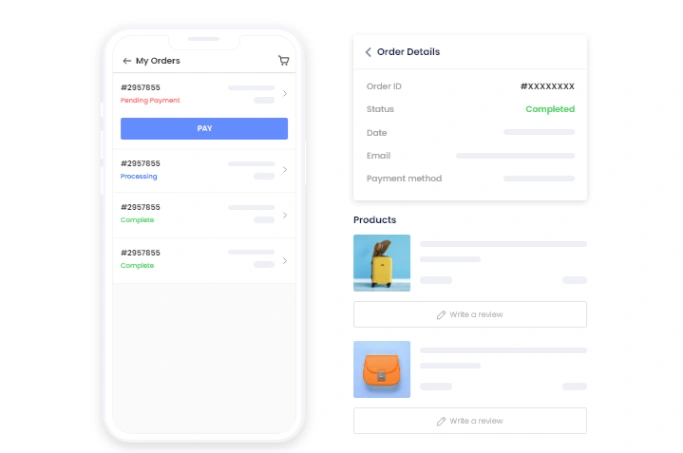
Efficient Order Management

If you have an e-commerce site, AppMySite apps have order management and tracking options that make your customers happier.

Push Notifications

You can send notifications to customers about the latest offers and discounts through the push notification feature available in AppMySite apps.

Multilingual Support

For businesses targeting users across multiple regions, AppMySite provides built-in multilingual support in their apps.

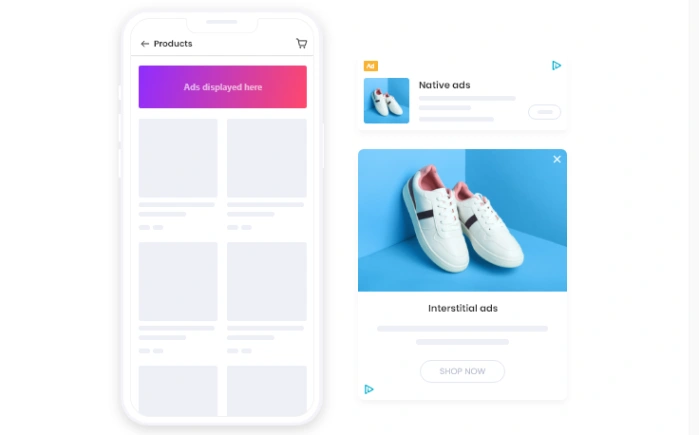
App Monetization with AdMob

AppMySite Review 7

If you just want to generate side income by creating an app, you can showcase AppMySite and generate income through Adamb integration.

Chat Support


AppMySite Review 8

How to use Appmysite?

Improve your business by using AppMySite for your business..All you need to do to create an Android or iOS app is follow these steps:

Connect your website

To start creating an app from your website, you need to connect your website to the AppMySite tool. You can connect your website and app with a few clicks and the tool will confirm that the connection has been established.

Now your website will be connected to the AppMySite tool and it can collect the information and media needed to create your app.

Personalization

After connecting your website to the app, you will get a dashboard where you can customize it to your brand. As mentioned earlier AppMySite offers a lot of personalization options to truly match your website to your app.

You can change everything from the theme, colors, layout, and styling to the overall design when personalizing the app.

Despite the large number of personalization options, the process is surprisingly simple and straightforward. By the time you’re done personalizing, your website and app should be a true reflection of each other.

Rewards-Badge 60-day money-back guarantee. Try it for 2 months to make sure it’s right for you!
AppMySite Pricing

AppMySite Review 9

To know more about AppSumo Lifetime Deal: Visit our official website:  A2Z Web Tools


MobiRoller Review 2025: Details, Price and Features

0
Mobiroller

Coming up with ideas for client apps, without coding them yourself, can feel like coaching a game you’ve never played. (“Developers call me Ted Lasso.”)

But coding boot camps and outsourced projects take time, cost a lot, and still don’t guarantee an app that will meet your goals.

Fortunately, there’s a powerful way to easily build an app, even if you don’t have the coding skills or the resources to hire a developer.

All you need is a Mobiroller.

Get lifetime access to Mobiroller today!

Overview

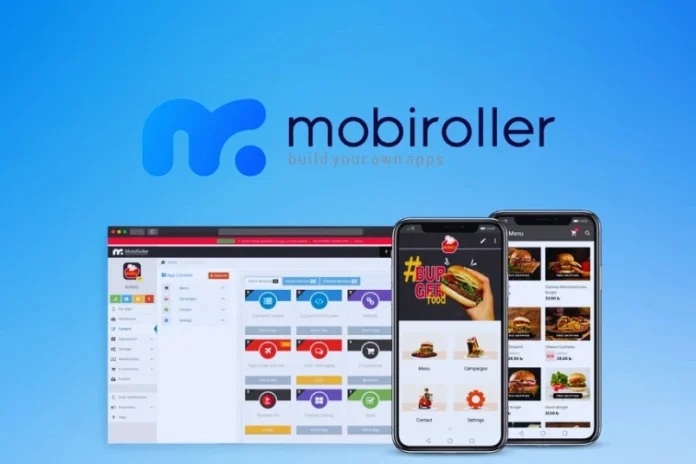
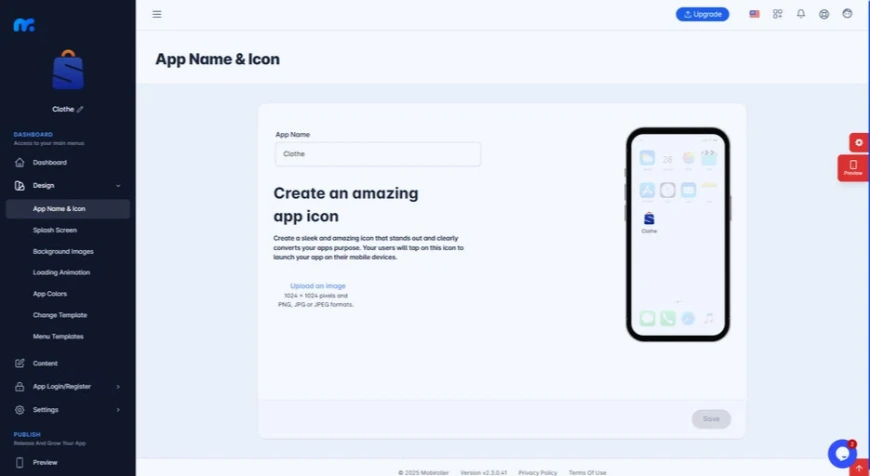
MobiRoller is a self-service mobile app platform that helps you build monetizable apps for e-commerce stores, restaurants, or more, with no coding experience required.

Mobiroller puts app-building at your fingertips, allowing you to customize apps for clients in online education, finance-crypto, fitness, and more.

MobiRoller’s easy-to-use platform lets you create an app in minutes using a drag-and-drop builder.

Choose a design template from any of the platform’s categories or upload your design for further customization.

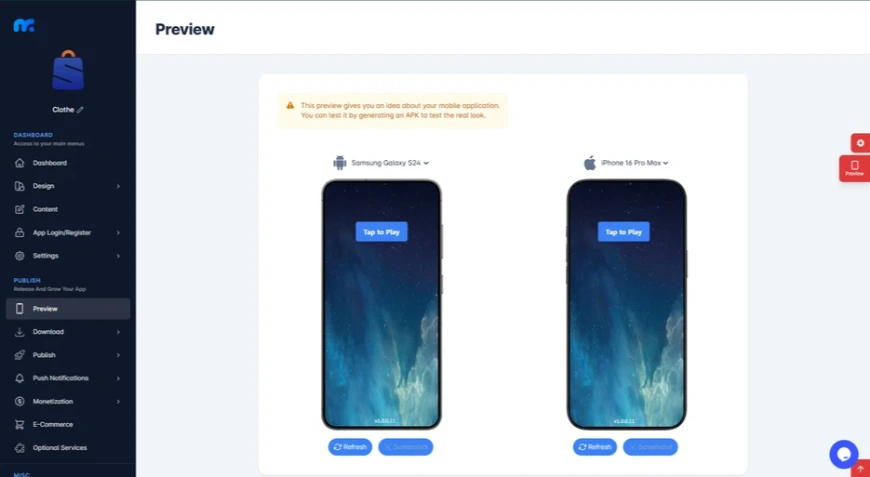
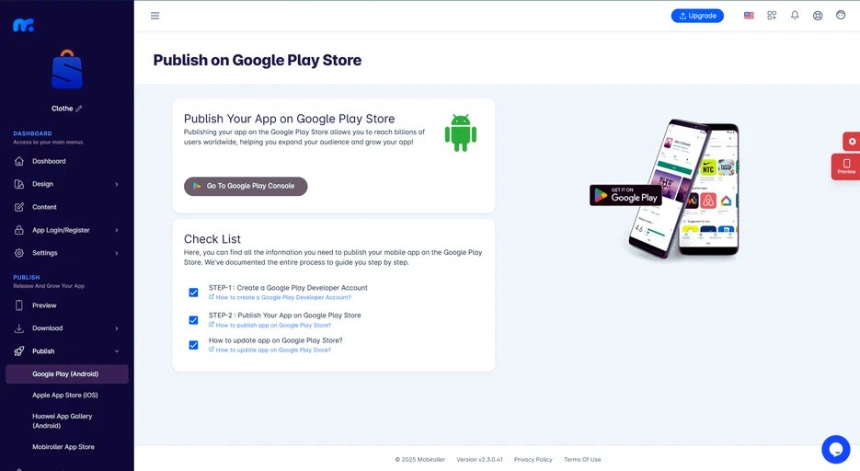
You can quickly create advanced, fully customized mobile applications and publish them on the Google Play Store, Apple App Store, and Huawei App Gallery.

MobiRoller

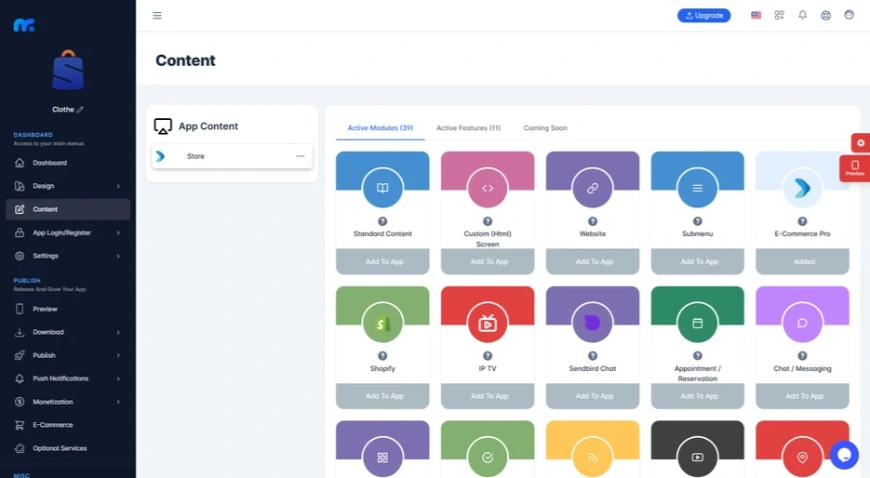
Mobiroller’s smooth interface panel experience allows you to add over 40 advanced features to your application with a simple drag-and-drop functionality.

Make money by adding ads to your application using dynamic ad options to increase revenue as traffic increases.

You can also choose to create paid screens using in-app purchases, where users can view special screens by paying a subscription fee.

In addition, Mobiroller integrates with existing app and workflow products such as Shopiroller, Paximum, Shopify, Sendbird, Calendly, Youtube, Admob, Google Play, Apple Connect, Huawei App Gallery, and many more.

Mobiroller's

Mobiroller makes it easy to transform your mobile app into an advanced e-commerce platform for displaying and selling products through in-app advertising or subscription models.

From there, you’ll be able to manage a complete shopping experience, including product, order, and stock management, right from your phone.

You can even add different payment methods, offer advanced shipping settings, or send push notifications!

Mobiroller

In addition to building your mobile app, you can develop and sell apps for profit using Mobiroller’s multi-purpose layout.

The Mobiroller Reseller Program enables you to design and monetize apps for your clients and customers.

New to the platform? Take advantage of the Mobiroller Knowledge Base with app-building basics, instructions, and a seven-step quick start guide.

Mobiroller

Building an app doesn’t have to be an impossible feat that you can only dream of. (“Okay, I’ll build a civilization on Mars next. Casual.”)

Mobiroller lets you quickly turn your mobile app ideas into reality without touching a line of code.

Make your app better.

Get lifetime access to Mobiroller today!

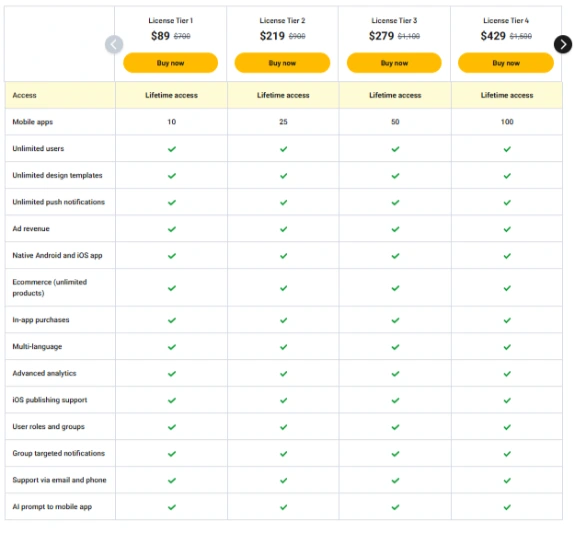
Plans & features

Mobiroller

Pros 

1. User-friendly interface

MobiRoller offers a drag-and-drop interface with over 80 pre-designed modules, including features like e-commerce, push notifications, and media streaming. This simplicity allows users to quickly launch apps without coding experience.

2. Multilingual support

The platform supports multiple languages, making it suitable for businesses targeting a global audience.

3. E-commerce integration

Users can set up online stores with integrated payment gateways like Stripe and PayPal, which facilitate seamless transactions.

4. Strong customer support

Many users praise MobiRoller’s responsive customer service, highlighting instant support and helpful guidance.

5. Affordable pricing

Starting at $18/month, MobiRoller offers competitive pricing, especially for small businesses and startups.

Cons

1. Limited design customization

While templates speed up development, they can limit advanced customization options, potentially limiting the scope for unique branding.

2. Performance variability

Some users have reported occasional app responsiveness issues, especially in apps with high user interaction or complex functionality.

3. Ads on free plan

The free tier includes ads, which may not be ideal for businesses aiming for a premium user experience.

4. iOS publishing restrictions

Publishing on iOS requires at least the Pro plan, which may be a consideration for users targeting both platforms.

Ideal Use Cases

  • Small businesses and startups: Quickly establish a mobile presence without significant investment.
  • Content creators: Build apps to engage audiences and monetize content.
  • Resellers: Use the reseller plan to efficiently manage multiple client apps.
  • Global enterprises: Use multilingual support to reach different markets.

Final Verdict:

MobiRoller is a solid solution for users looking for an accessible, feature-rich platform for building mobile apps without coding. While it may not offer the deep customization of fully custom-coded apps, its ease of use, strong support, and comprehensive features make it an attractive choice for many.

Get lifetime access to Mobiroller today!

- Advertisement -

Recent Posts